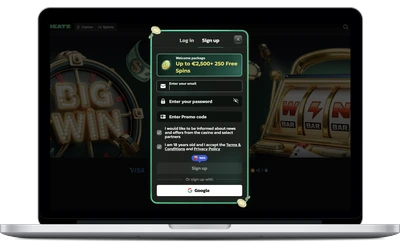
Getting into your account shouldn’t feel like filling out a tax return, which is exactly why Winbeatz casino keeps the whole thing down to an email address and a password. You land on the site, you click the login button, you’re in. We run 6,000+ games from more than 60 studios, and Winbeatz casino members get to all of them through the same single set of credentials, whether that’s a Pragmatic Play pokie at lunch or an Evolution blackjack table at midnight.
We’re not going to pretend the login screen is exciting. What matters is that it works fast, it stays secure, and it doesn’t lock you out for no reason. That’s the standard we hold ourselves to.
Registration and Login process
You can sign up and log in from a desktop computer, from our mobile app, or straight through a phone browser. All three lead to the same account, the same balance and the same bonus progress. Nothing resets when you swap devices.
Every registration form and every Winbeatz login runs over encrypted connections, and your password is stored hashed rather than in plain text. We also let you switch on two-factor authentication, which we honestly recommend if you keep a real balance in your account. The whole registration process takes about a minute, and you only need to verify documents later, when you first cash out.
Sign Up process on Desktop
Here’s the full desktop walkthrough, step by step.
Open the official website in any browser and click the green sign up button in the top right corner.
Enter a valid email address and create a password of at least eight characters with one number.
Pick your currency and confirm you’re over 18.
Fill in your personal details, including first name, surname, date of birth and residential address.
Tick the terms box and hit create account.
Open the confirmation link we email you and your account is live.
Most players finish in 60 to 90 seconds. Verification comes later, usually when you request a withdrawal, and we check documents within 24 hours. To log in afterwards, click sign in, type your registered email address and password, and you’re straight back to the games.
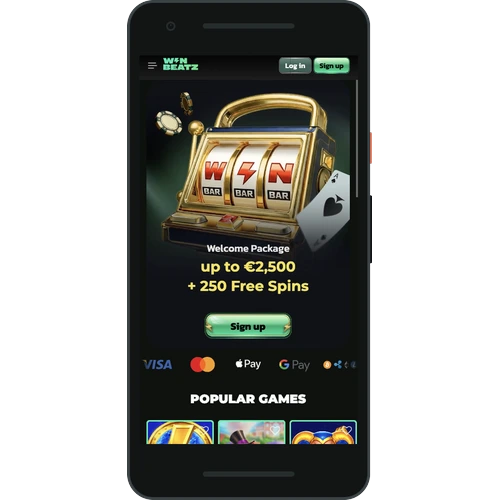
Registration through Mobile App
The app route is even shorter because your phone fills in half the fields for you.
Install the Winbeatz app and open it.
Tap register on the welcome screen.
Enter your email address and a password, then choose your currency.
Add your name, date of birth and address.
Accept the terms and tap confirm.
Allow the app to use Face ID or a fingerprint so future logins take one second.
From first tap to finished account is usually under a minute. After that, logging in means opening the app and holding your thumb on the sensor. If you’d rather not use biometrics, the standard email and password login stays available every time.
Web Version from Mobile
Plenty of players don’t want another app eating storage, and that’s fine. Open winbeatz7.com in Safari or Chrome on your phone, tap sign up, and you get the exact same form in a layout built for a small screen. Enter your email, set a password, add your details, confirm the link we send, and you’re done.
The browser version suits anyone on a shared or work device, anyone short on space, and anyone who just wants quick access without an install. Add the site to your home screen and it behaves almost like the app anyway. Your account, balance and bonus timers carry across untouched, so you can register in a browser today and switch to the app next week without losing a thing.
Account Verification and Security
We verify accounts for two blunt reasons. One, our licence requires it. Two, it stops somebody else from walking off with your money. The usual bundle is a photo ID such as a passport or driver licence, a recent power bill or bank statement showing your address, and a partly masked image of the card you deposited with. Upload them in your account area and our team checks them within 24 hours on a normal day.
On the technical side, every page uses TLS encryption, passwords are hashed, and we watch for odd patterns like a sudden login from a new country. Two-factor authentication is one toggle in your profile settings and it’s the single best protection you can add. We also send an email alert whenever a new device signs in, so you’ll know straight away if something looks wrong.
Winbeatz is operated by Neroblanko Tech B.V. and holds licence GL-82047195 from the Curacao Gaming Authority. That licence covers fair game testing, segregated player funds and the dispute process you can rely on if we ever get something wrong.
Login Problems and How to Fix Them
Forgot your password? Click the forgot password link under the login form, enter your registered email address, and we’ll send a reset link within a couple of minutes. The link expires after an hour, so use it while it’s fresh, and check your spam folder before you assume it never arrived.
Wrong email or username is the next most common issue. People register with a work address and then try logging in with their personal one. Try every address you own before raising a ticket, it solves the problem about half the time.
If you enter the wrong credentials five times in a row, we temporarily freeze access for 15 minutes. That’s deliberate, it blocks brute force attempts. Wait it out, then use the recovery option rather than guessing again. Logging in from a brand new device may also trigger an extra authentication step by email, which is us confirming it’s really you.
Nothing working? Our support crew is on live chat 24/7, or you can email [email protected]. Tell them your registered email and roughly when the issues started and they’ll sort the account out quickly.
What Waits for You After Your First Login
Your welcome package runs across four deposits and tops out at around NZ$2,750 plus 250 free spins on the first one. The second deposit adds 100% up to roughly NZ$1,800 with a bonus round, the third gives 75% up to about NZ$2,750, and the fourth unlocks Bonus Wheel free spins. Claim it from the cashier screen the moment you sign in, before you fund the account.
Players in New Zealand can deposit with Visa, Mastercard, Apple Pay, Google Pay, Neosurf, Paysafecard, Skrill, Revolut or bank transfer, plus BTC, ETH, LTC, DOGE, USDT, USDC and TRX. Minimum deposit sits near NZ$40. Everything runs in English for our en-NZ players, and withdrawals cap at roughly NZ$27,500 a month. Remember that online casino play is your own call under New Zealand law, so keep it fun and set limits early.
Can I use the same account on my laptop and my phone
Yes, and we’d expect you to. One registration covers desktop, the mobile app and the browser version of the site. Your balance, bonus progress, game history and verification status all live on the server, not on the device, so logging in anywhere shows the same information. You can start a session on a desktop, close the lid and pick it up on your phone a minute later.
What should I do if I forget my password
Click the forgot password link below the login form and type in your registered email address. We send a reset link that stays valid for one hour, and the whole recovery process usually takes under three minutes. Choose a new password with at least eight characters and a number. If the email doesn’t show up, check spam first, then message live chat and our customer support team will verify your identity and reset it manually.
Do I need to verify documents before I can play
No. You can register, deposit and play straight after you create your account. Verification becomes necessary when you request your first withdrawal, and that’s when we ask for ID, proof of address and a card image. Checks finish within 24 hours in most cases. Sending documents early is a smart move though, because it means your first cashout isn’t held up waiting on paperwork.
Why was my login blocked from a new device
Our security system flags a sign in attempt from an unfamiliar device, browser or location and asks for an extra authentication step. You’ll get an email with a confirmation link or code, and once you click it, access opens normally. It’s an annoying extra ten seconds that stops someone who has guessed your password from getting anywhere near your funds. Two-factor authentication makes this protection even stronger.
Is the mobile app safer than the browser version
Both use the same encryption and the same account protection on our servers, so neither one is weaker. The app has one practical edge, which is biometric login through Face ID or a fingerprint, meaning your password never gets typed in public. The browser option wins on convenience if you share a device or don’t want an install. Pick whichever fits how you actually play.
How quickly can I withdraw after logging in
Once your account is verified, withdrawal requests sit pending for up to three business days while we check them, then process within 24 hours after approval. Crypto payouts usually land in 12 to 24 hours, while cards and bank transfers take roughly one business day after approval. The monthly cashout limit is about NZ$27,500. Keeping your personal details current speeds the whole process up noticeably.
Can I change the email address linked to my account
Yes, but not on your own, for obvious security reasons. Contact live chat or write to [email protected] from the email address currently registered, tell us the new one, and we’ll verify your identity before making the change. The swap normally completes the same day. After that, all login attempts, password recovery links and security alerts go to the new address.